Shapes
The canvas API includes methods for drawing simple shapes and lines.
- For drawing more elaborate shapes, see the documentation on paths.
- For notes on how position coordinates in the methods below are interpreted, see the section on coordinates.
Rectangles
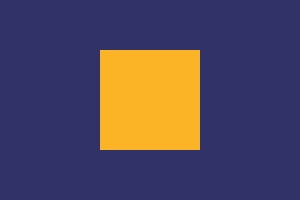
The draw_rect method of a Canvas instance renders a rectangle specified by its top-left coordinate (x, y) along with its width and height.
The
fillparameter accepts an optional color or a gradient for filling the interior of the rectangle.from scripton.canvas import Canvas canvas = Canvas( width=300, height=200, fill='#313268' ) canvas.draw_rect( x=100, y=50, width=100, height=100, fill='#FAB526' )Similarly, the optional
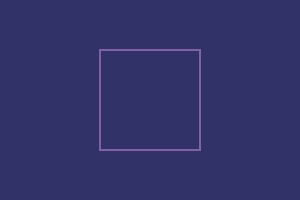
strokeparameter specifies the color of the rectangle's outline.canvas.draw_rect( x=100, y=50, width=100, height=100, stroke='#D38EE7' )The
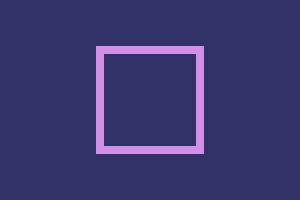
thicknessparameter controls the outline's thicknesscanvas.draw_rect( x=100, y=50, width=100, height=100, stroke='#D38EE7', thickness=8 )The
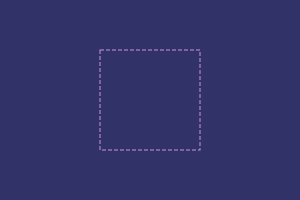
dashparameter can be used for creating dashed lines. It's interpreted as, alternatingly, the length of the line followed by the length of the gap. Odd length arrays are auto replicated (eg:[1, 2, 3]→[1, 2, 3, 1, 2, 3]) .canvas.draw_rect( x=100, y=50, width=100, height=100, stroke='#D38EE7', dash=(4, 2) )
Circles
The draw_circle method of a Canvas instance renders a circle specified by its center (x, y) and radius.
The fill, stroke, thickness, and dash parameters behavior the same as in the case of a rectangle.
Example: Drawing nested circles
from scripton.canvas import Canvas canvas = Canvas(width=300, height=200) colors = ('#471437', '#B13254', '#FF5449', '#FF7349', '#FF9249') for idx, color in enumerate(colors): canvas.draw_circle( x=150, y=100 + 10 * idx, radius=100 - 20 * idx, fill=color )

Lines
The draw_line method of a Canvas instance renders a line segment from point (x0, y0) to point (x1, y1). The stroke keyword argument specifies the color of the line.
Example: A simple line
from scripton.canvas import Canvas canvas = Canvas(width=300, height=200, fill='#313268') canvas.draw_line( x0=30, y0=20, x1=270, y1=180, stroke='#D38EE7' )